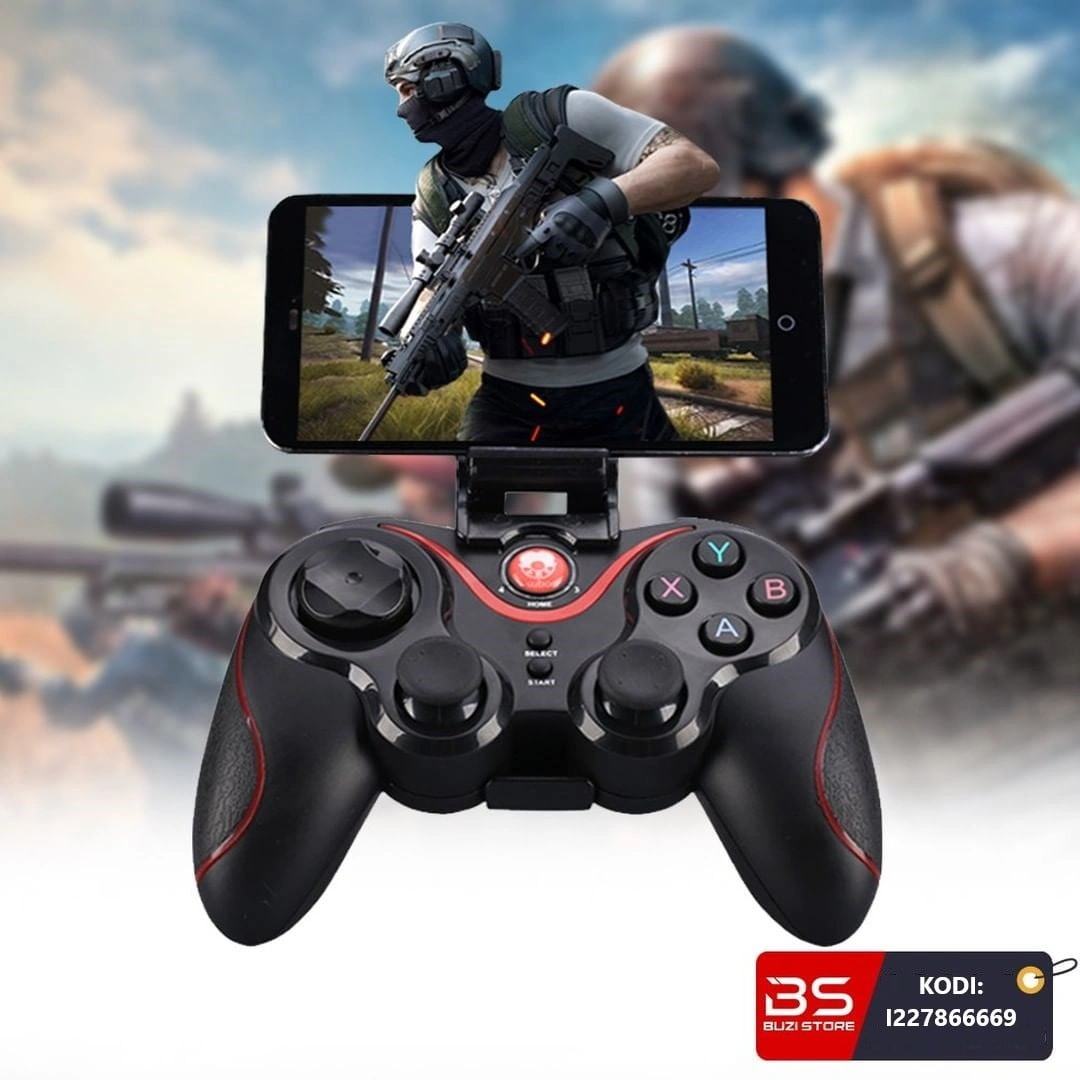
Wireless Bluetooth Game Controller for Multiple Devices 5V X3
The X3 Wireless Gaming Controller works with tablets, phones, Smart Boxes, Smart TVs and computers. Description: Battery voltage and charging: The controller is powered by a 380mAh battery which is rechargeable via a mini USB port.
- Battery voltage: 3.7V.
- Charging voltage: DC 5V.
- Rechargeable 380mAh battery with mini USB plug.
- Allows up to 20 hours of use.
- Uses 2.4GHz Bluetooth technology
- Transmission distance up to 8 meters.
- The lever allows connection to your phone via Bluetooth, and also connects to a computer.
- To connect via Bluetooth to Android, you must simultaneously press the Home button and the X button, when the connection is successful with your phone, LED light number 1 will turn on.
- With the iOS system, the HOME and Y buttons must be pressed simultaneously, when the connection is successful, LED light number 2 turns on.
- The lever works via the ShootingPlus V3 app.
- The application allows you to customize commands.
- You need to download the ShootingPlus V3 app and then take a screenshot of the game you want to play.
- Open the photo in the newly downloaded application and configure the commands according to your preference in the necessary position.
The X3 wireless gaming controller works with tablets, phones, Smart Boxes, Smart TVs, and computers.
Description:
Battery voltage and charging: The glove is powered by a 380mAh battery which is rechargeable via a mini USB plug.
The battery voltage is 3.7V, while the charging voltage is DC 5V, ensuring fast and safe charging. The battery can provide up to 20 hours of use after a full charge, making it suitable for long gaming sessions without interruption.
2.4GHz Bluetooth technology: The glove uses 2.4GHz Bluetooth technology, which provides a stable connection and a transmission distance of up to 8 meters.
This means you can play without worrying about cables, ensuring high mobility and comfort during gameplay.
Ease of connection to devices: The handle is equipped with a lever that enables connection to your devices via Bluetooth.
For Android, the connection is made by simultaneously pressing the Home button and the X button, and when the connection is successful, LED light number 1 lights up.
For iOS system, you need to press the Home and Y buttons simultaneously, and when the connection is successful, LED light number 2 will turn on.
This allows for quick and easy connection to phones, tablets, and other devices.
Use with the ShootingPlus V3 app: The handle is compatible with the ShootingPlus V3 app, which allows you to customize the handle controls to your preference.
After downloading the app, you can capture a screenshot of the game you want to play and import it into the app.
Once you open the picture, you can configure the controls and their position according to your needs, personalizing the gaming experience to suit you.
Convenience and ease of use: The handle is designed for ease of use, and the Bluetooth connection is fast and intuitive.
With a convenient and comfortable design, it can be used during long gaming sessions without feeling tired.
Using the app and the ability to customize commands adds a high level of flexibility for players.
The packaging contains:
- Lever.
- Phone holder.
- User manual.
- Charging plug.
Configuration:
PC:
- Hold down the R1 button on the joystick.
- Insert the power plug into one of your computer's USB ports, without releasing the R1 button.
- The computer will recognize the joystick as XBox 360 Controller for Windows.
- LED light no.3 will turn on.
- Once the controller is connected to the computer, you can use the Xbox 360 controller controls normally.
Android:
- Press and hold the X and Home buttons simultaneously.
- LED light no.1 will turn on.
- Connect to the joystick via Bluetooth, the device will appear with the name: GamepadPlus V3.
- When the connection is successful, LED number 1 will stay on.
- Download the ShootingPlus V3 app to modify the controls to your needs.
iOS:
- Press and hold the Y and Home buttons simultaneously.
- LED light no.2 will turn on.
- Connect to the joystick via Bluetooth, the device will appear with the name: GamepadPlus V3.
- When the connection is successful, LED number 2 will stay on.
- Download the ShootingPlus V3 app to modify the controls to your needs.
- SKU
- I227866669
- Weight
- 0.1 kg
- Category
- Computer Accessories