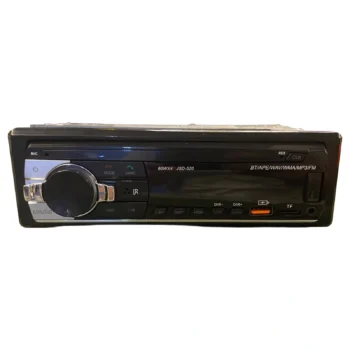
Android cassette player (2-32Gb) for Volkswagen
Steering wheel control – Rear camera: The android cassette player is equipped with CanBus connection plugs,
which allow you to control the tape recorder directly from the steering wheel controls.
Also, depending on the car, it allows the display of other options.
Possibility of connecting to a rear camera for easy parking.
Supports connection to OEM cameras (original and aftermarket).
Wi-Fi & GPS navigation system: The radio is equipped with a wireless chip for internet connectivity and a GPS module,
for ease of navigation even with maps downloaded through various applications.
Checking car information: The cassette player allows you to check various information about your car, such as:
Current Speed, parking sensors, handbrake, parking camera, etc.
Splitscreen: The cassette player is equipped with a 7-inch touch screen. With scratch-resistant surface.
Supports SplitScreen technology, allowing you to use two applications simultaneously.
CarPlay & Android Auto: The Android cassette player is equipped with Android Auto and Apple CarPlay systems, for connecting to the phone.
It allows navigation, listening to music and answering calls.
It connects automatically via USB or Bluetooth.
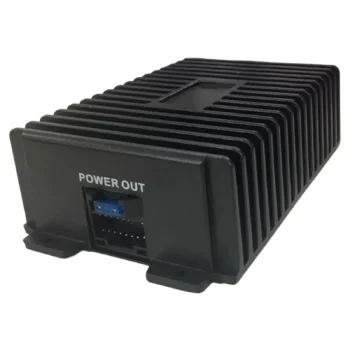
blower: The cassette player is built with resistant material, to enable cooling of the circuit temperature, the cassette player is equipped with a fan, which enables enhanced cooling of the panel.
The fan is powered by a direct connection to your cassette player. It is controlled via a special application.
The cassette player is suitable for:
Volkswagen Golf 5 (2003-2008)
VW Golf 6 (2009-2013)
VW Golf Plus (2003-2013)
VW Polo (2009-2014)
VW Scirocco (2008-2017)
VW Passat (2005-2013)
VW Passat CC (2008-2017)
VW Jetta (2005-2013)
VW Tiguan (2007-2017)
VW Touran (2003-2017)
VW Caddy (2003-2018)
VW Amarok (2010-2015)
VW Multivan T5 (2010-2013)
Seat Altea XL (2007-2013)
Seat Altea (2004-2012)
Skoda Octavia (2005-2013)
Skoda Yeti (2008-2017)
installing:
- Make sure the machine is turned off.
- Gather the necessary materials for simple cassette installation: Pliers, Insulator, Android Cassette Recorder, Case Opening Clips, T15 Screwdriver, Gloves, etc.
- Carefully remove the cassette player case.
- Remove the panel fixing screws (if any).
- Dismantle the car's current cassette player (Usually there are 4 T15 screws).
- Carefully remove the connecting plugs at the back.
- Insert the appropriate Android cassette player plugs.
- Mount the GPS in a space where it won't get in the way.
- Remove the USB plugs from the dashboard, which you need for charging or connecting various electronic devices.
- Connect the CanBus plug of the cassette player to the car's current plugs (to enable the connection of the steering wheel controls to the cassette player).
- Mount the Android cassette player into the car's cassette player jack.
- Test the functions of the cassette player including: sound quality, screen, Bluetooth and GPS.
- Insert the 4 T15 screws.
- Place the cassette player case carefully.
- Adjust your cassette player menu to your preference.
If you want to connect the rear camera to an after-market camera, you will need to consult an auto electrician for the connection of the power cable.
For safe installation, installation by an expert, or consultation with one, is recommended.
FA – Frequently Asked Questions:
- Which cars does it fit with??
The cassette player is suitable for various models of Volkswagen, Seat & Skoda vehicles.
Respectively with:
Volkswagen Golf 5 (2003-2008), Volkswagen Golf 6 (2009-2013). Golf Plus (2003-2013). Tiguan (2007-2017).
Touran (2003-2017). Caddy (2003-2018). Polo (2009-2014). Passat CC (2008-2017). Passat (2005-2013). Jetta (2005-2013). Amarok (2010-2015). Multivan T5 (2010-2013). Scirocco (2008-2017).
Seat Altea XL (2007-2013). Altea (2004-2012). Skoda Octavia (2005-2013). Yeti (2008-2017).
- Can I install the cassette player myself??
The cassette player is easily installable by yourself, but this is done at your own risk.
The possibility of damaging something in the case or the plugs is high, so installation by an electrician is suggested.
- Can it be connected to a rear camera??
Yes, the cassette player supports rear cameras.
If the connection is made correctly, the view appears immediately (as soon as you put the gear in reverse).
The cassette player does not include a camera – just the AV jack to enable connection.
- Split Screen, what is it??
Split Screen is a feature of the Android system that allows you to use two applications simultaneously.
You can open Youtube on half the screen and Google Maps on the other half.
To use Splitscreen, the application must support it.
- Does it support Subwoofer??
The cassette player is equipped with jacks to enable connection to a subwoofer.
It is suggested that the connection to the subwoofer be made from an electroauto.
- How does it connect to the steering wheel controls??
The cassette player is equipped with a CanBus package, which allows direct connection to your car.
The package enables connection to your car's steering wheel controls (if your car has them), and also displays various car information.
- Can I install other programs??
The cassette player uses the Android operating system, which allows you to download various applications.
APK programs are also available directly on the Play Store (just connect it to the internet via wireless).
- How to make phone calls?
The cassette player allows direct connection to your phone via Bluetooth.
With Bluetooth, you have the ability to listen to music and make and answer calls.
The moment your phone connects to the car stereo, it enables you to make phone calls.
The cassette recorder is equipped with a built-in microphone.